
Contract signing, start to finish
How contract signing works on EsigIt
EsigIt gets a contract signed in 4 steps: drop the PDF, add who signs, place the fields, send. The first time, you also make an account and save a card, after the upload. DocuSign's own help pages list 8 steps after you sign in. Your client signs on a phone with no account, and you pay $1.99 when the last person finishes.
How do you send a contract for signature on EsigIt?
EsigIt sends a contract in 4 steps, and you don't make an account until after step 1. The first time, you also save a card. Nothing is charged until the document is signed.
-
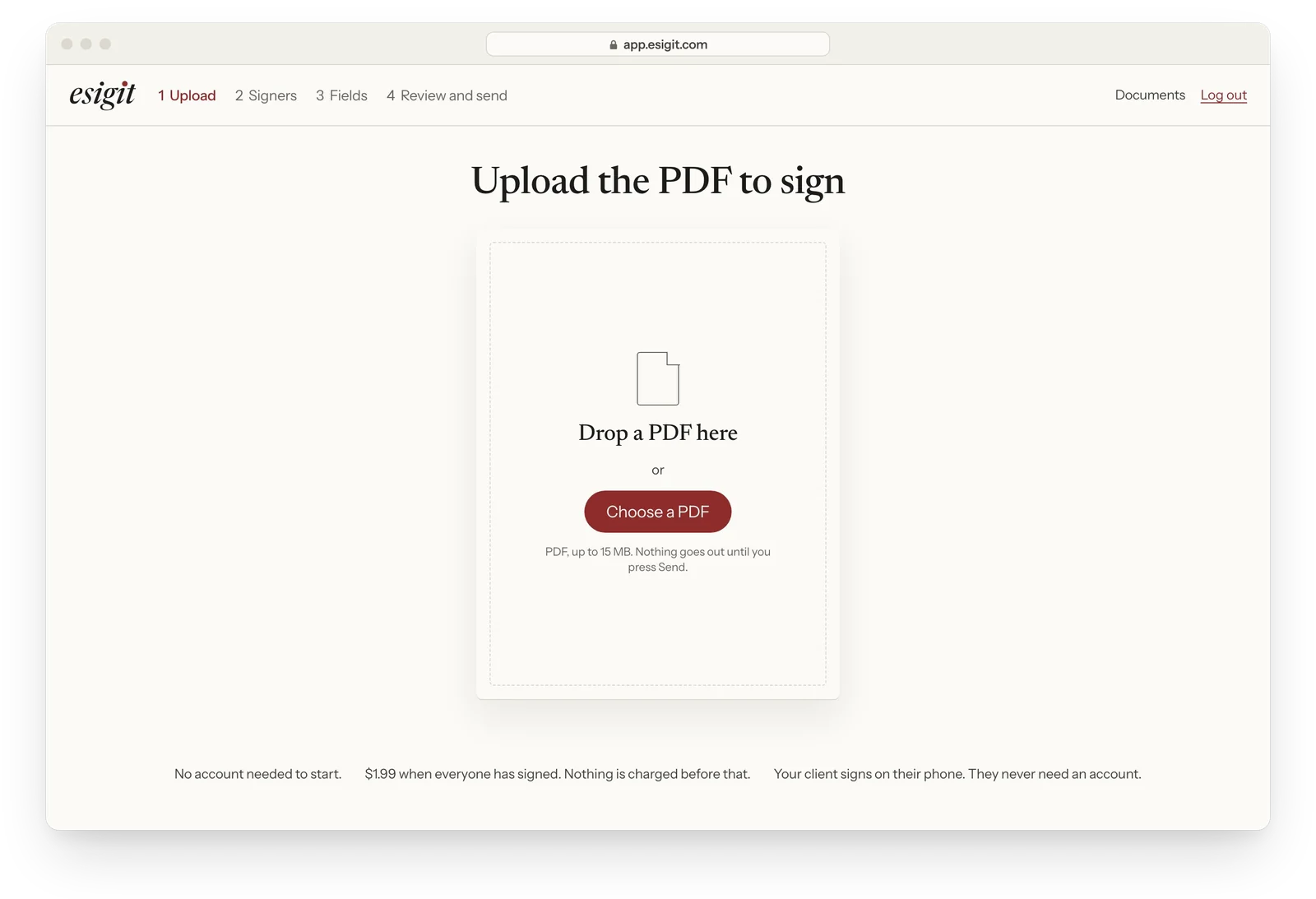
Drop your PDF
Use the contract, quote or waiver you already have. A Word file works once you save it as a PDF. EsigIt checks the file the moment you drop it, so a problem shows up now, not at the last signature.
-
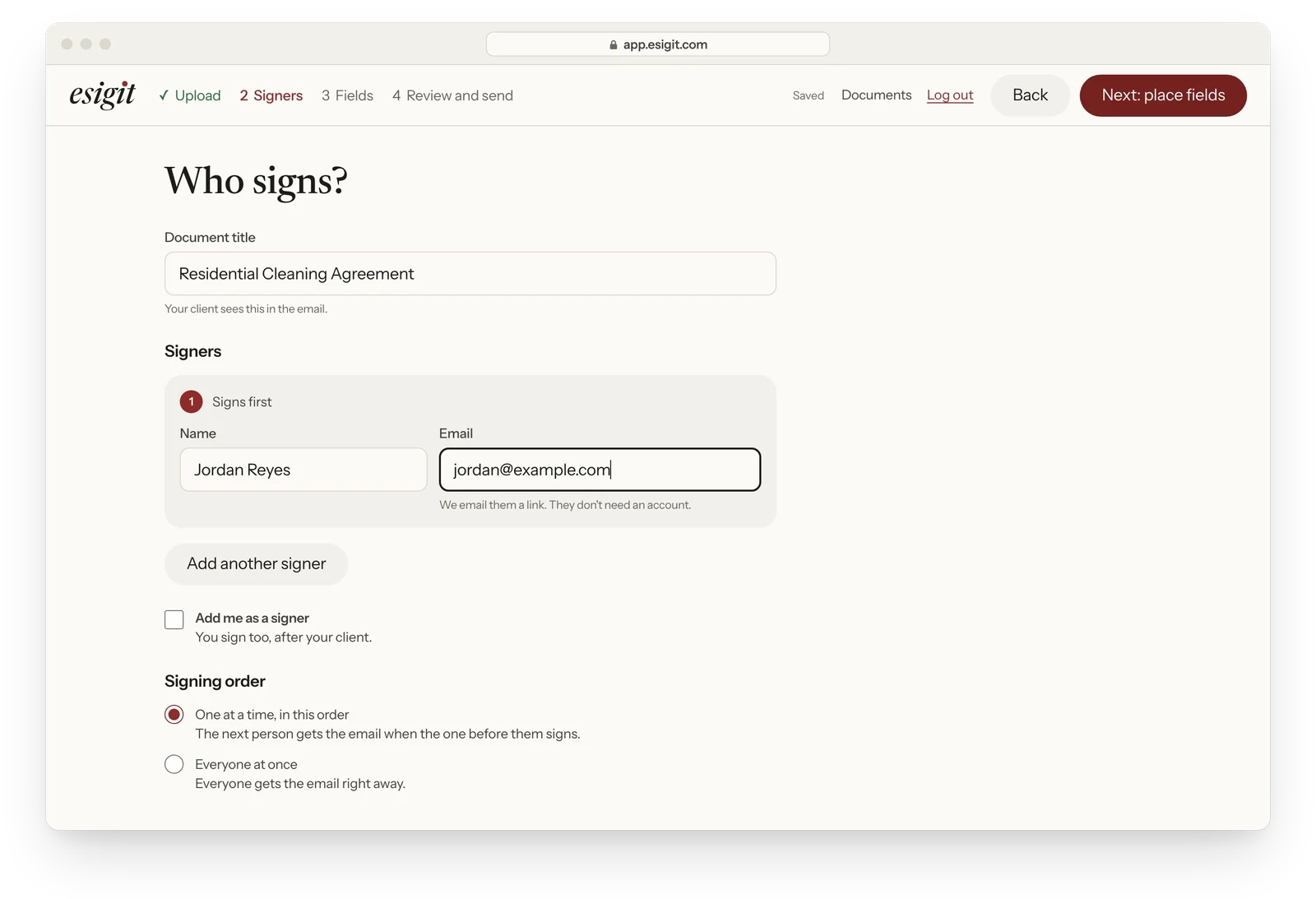
Add who signs
Type each signer's name and email. They sign in the order you list them, and each one gets their own link and their own code.
-
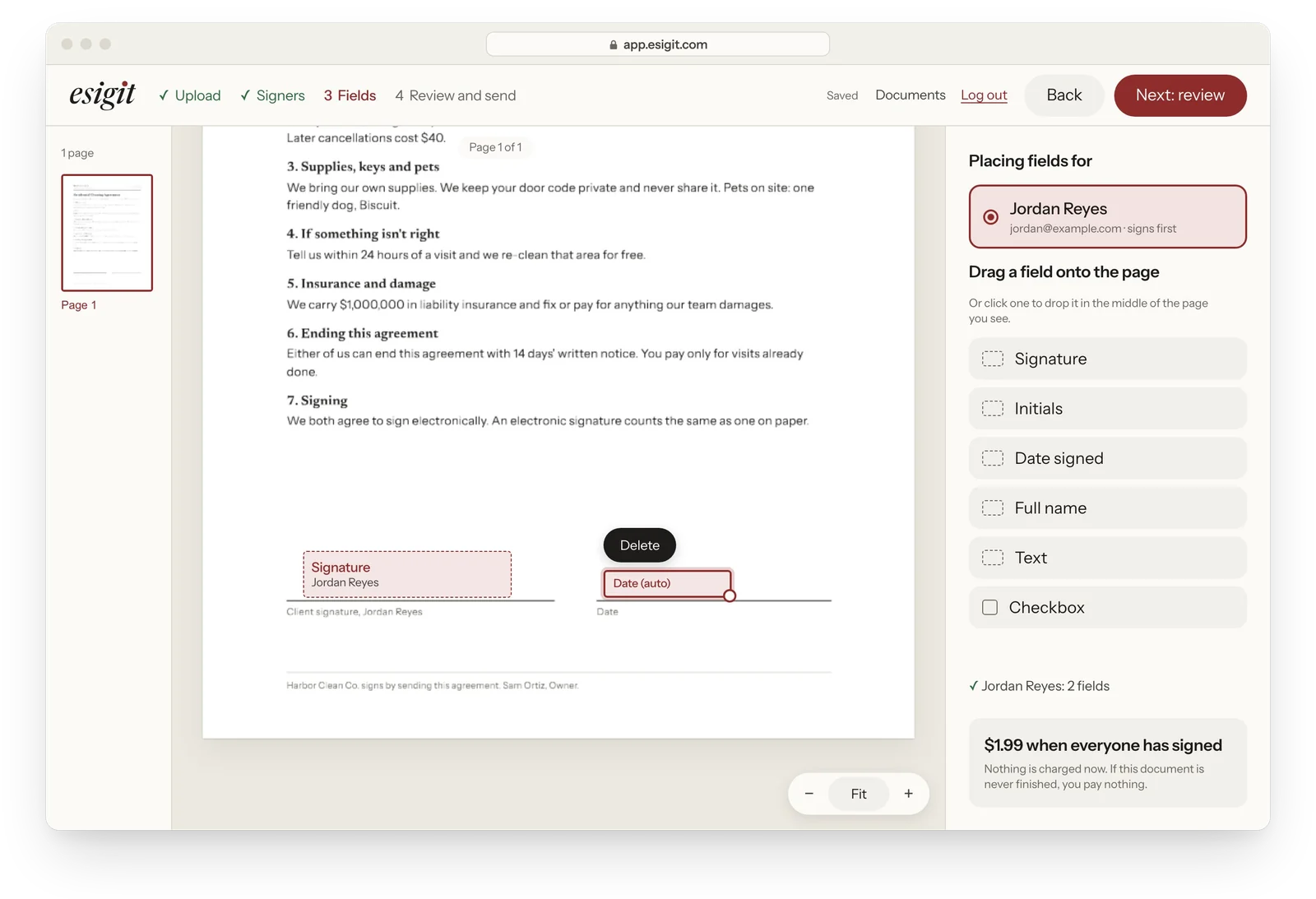
Place the fields on the real page
Click where each person signs. Add a signature, a date or a text box. You see your actual PDF, every page, so the signature lands on the signature line.
-
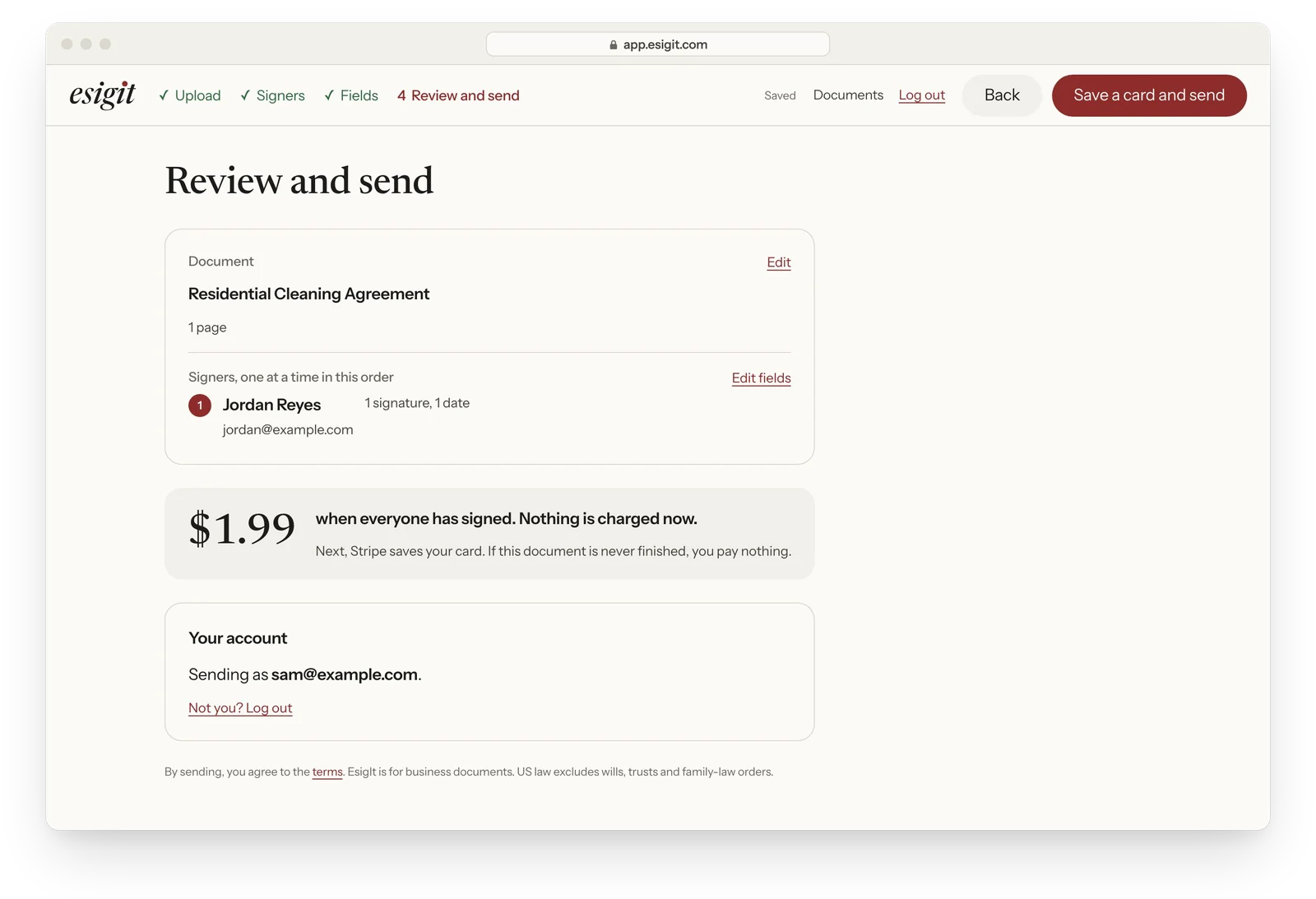
Review and send
Check who signs and where. The price is on the screen before you send: $1.99, charged once when every signer has finished. Then press Save a card and send. Stripe saves your card the first time. Nothing is charged until every signer is done.
What does your client see when they sign?
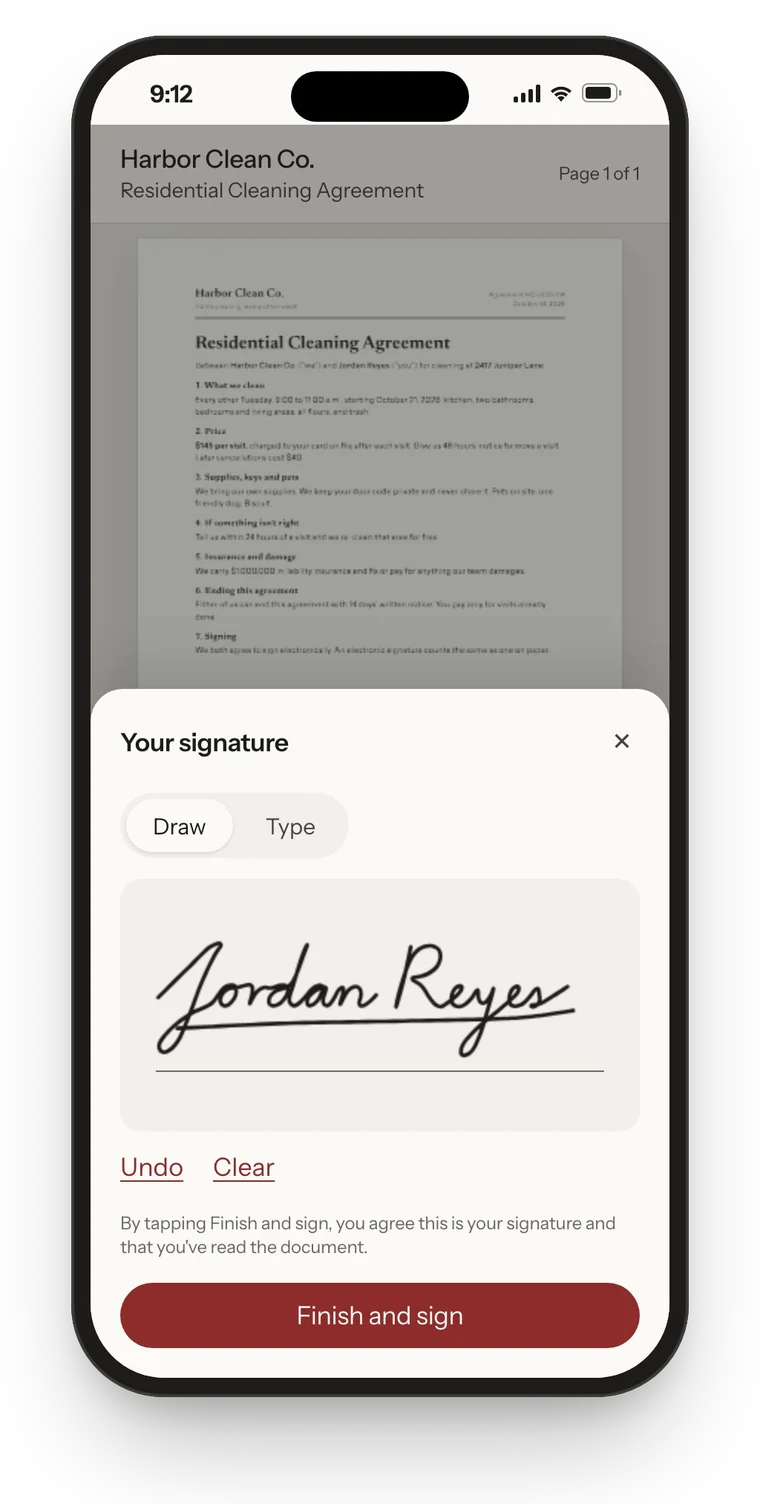
With EsigIt, your client sees the whole document first, then signs in 6 short steps on any phone or computer. EsigIt asks signers for no app and no account.
- They open the link in the email.
- They read the whole document, every page.
- They enter the 6-digit code EsigIt emails them. It expires in 10 minutes.
- They agree to sign electronically and type their full legal name.
- They sign by drawing with a finger or typing their name.
- They download a copy of the signed PDF.
What happens after the last signature?
When the last signer finishes, EsigIt stamps every signature where you placed it, builds the signed PDF, and charges your card $1.99. Everyone gets an email with the signed PDF, you included.
The completion certificate goes with it. It lists each signer's name and email, when they verified the code, when they agreed to sign electronically, when they finished, and the SHA-256 fingerprint of both the original and the signed file. Change one byte of the PDF and the fingerprint won't match.
How does signing work with more than one signer?
EsigIt sends to signer 1 first, then emails signer 2 when signer 1 finishes, and so on. Nobody gets a link they can't use yet. You can see who has signed and who hasn't, and resend a link if someone loses it.
You pay $1.99 once, when the last one finishes, whether that's 2 signers or 4.
How many steps does it take compared with DocuSign?
EsigIt takes 4 steps from PDF to sent. The others below were counted from each company's own help pages on October 15, 2026. Some of those counts include signing in or signing up, and the table says which.
| Service | Steps to the first send, as counted | Account before upload? |
|---|---|---|
| EsigIt | 4, plus an account and a card the first time | No. Upload first, account after |
| DocuSign | 8 after sign-in | Yes |
| Dropbox Sign | 10, including logging in | Yes |
| Zoho Sign | 9 | Yes |
| SignWell | 7 | Yes |
| BoldSign | 7 | Yes |
| eSignatures.com | 7, including sign-up and building a template | Yes |
| GoodSign | 5, including sign-up and buying credits | Yes |
The first time you use EsigIt you also make an account and save a card, after the upload. Fewer steps isn't the same as more features. DocuSign's 8 include a step for a subject and message and a separate preview.
What if my PDF is locked or won't upload?
Since the 2026 rebuild, EsigIt checks every PDF when you drop it, before you place a single field. Most files get cleaned up and go straight through. A file with a password on editing gets rebuilt page by page into a clean copy, and EsigIt tells you the text in that copy won't be selectable.
If a file can't be read at all, EsigIt says so at upload, with the reason. The old EsigIt failed these files at the last signer's final click. That's fixed, and it's why this step exists. Real estate forms software often exports locked PDFs, so agents see this more than anyone.
Which contracts can't you sign on EsigIt?
EsigIt's terms prohibit wills, codicils, testamentary trusts, adoption, divorce and other family-law documents, because the federal ESIGN Act of 2000 excludes them. EsigIt also stops a send whose title or file name names one. The same law excludes court documents and eviction or foreclosure notices on a primary home. EsigIt doesn't notarize, so anything that needs a notary is out too.
The full list, with the statute, is on our e-signature legality page.
Questions about signing online
Can my client sign a contract on their phone?
Does the person signing need an account?
Can I sign the document too?
Is a contract signed online legally binding?
Drop the PDF. That's step one.
Send a document$1.99 per completed document. No account needed to start.